Simplifying messaging for elderly
Addressing the smartphone interface challenges for basic communications

The purpose of this post is to describe a fairly generic simplification of the messaging process that anyone could create to address a common issue related to family level communications with assisted living residents. The first segment describes what one could do with access to a unique toolkit as in Podio. At the bottom I explain how the migration to the Jubilee TV platform to address the same challenge takes this even further
It is clear that as people age their ability to interact with their smartphones, small screen, small keyboard and need to navigate to different apps, etc becomes more constrained. It is also clear that at some point people are more confused about what an app does, and in particular that messaging is triggering audio alerts on the recipient’s end. That means that if the only thing one tends to do to reach family is to email, which is getting harder on that phone, or instant sms/imessage, they will do the latter. Most things are not an emergency and do not need to alert the other person at all hours of the day.
So, without needing new hardware or apps, I wanted to share a methodology that is incredibly pragmatic. The goal is to have ONE button for the person to push that is big and obvious. They can start from their phone or their ipad, but eventually should be able to replicate this right onto their TV with “show your iphone screen”.
This example is leveraging Podio, a platform of universally adaptable apps and workspaces that is highly configurable by someone in the family with no technical or programming background. And because its so useful for so many other things like tracking finances, planning trips or projects, etc, its just one more use case.
In Podio I create an app called “Dad Message Sender” and it generates web forms.
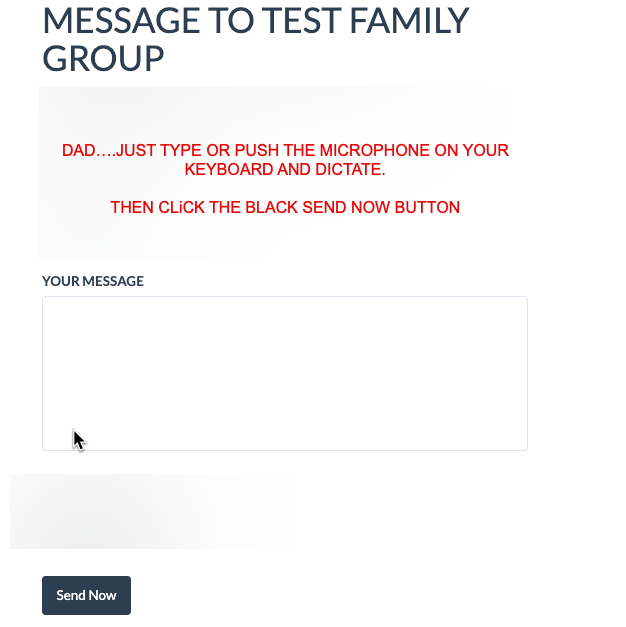
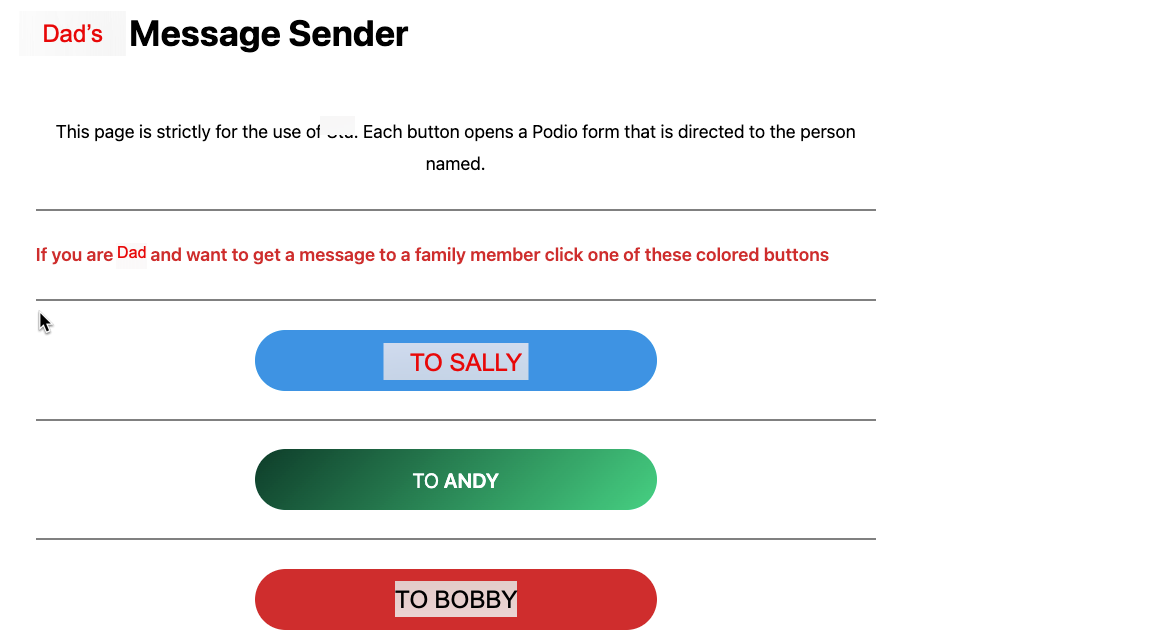
In one click from his phone he sees a set of buttons. each with the name of someone in the family. The button opens a simple secure web form with just one big white box. that they can dictate into or type, more likely dictate...and click to send. Behind the scenes I as the family caregiver who has these workspaces, am able to make a simple workflow automation such that when a new form is posted, it automatically sends that text to the email address of the family member with the date/time created and the content. It also includes an automated reply back by email function, or however they choose to reply back.
The key principles are:
Simplify the interaction on the front end for the assisted living resident
Eliminate annoying text message alerts on the back end or requiring another messaging app
Transforming a simple message from the resident to a convenient non intrusive email for the recipient
Creating a continuing diary or log of these messages within that workspace for later reference, forwarding, etc
Open the door for leveraging even simpler devices for the resident down the road
What I describe above could be developed by anyone with access to the Podio tools (anyone can subscribe for a reasonable fee to Podio) and a web page they can put buttons on....
Services like the unique JUBILEE TV already has basic messaging from user to user. This type of platform is an example of simplifying the interface to the assisted living resident via the remote control buttons they are used to, and with the added ability of a family caregiver in another location able to do some of these tasks for them. The ability to have the family user be able to get anything received as either sms text or email depending on how they choose to be notified is likely all that needs to change in order for this to migrate all thru Jubilee and retain the integrity of the remote control as the primary device
I am happy to show anyone interested how to do this. I can also discuss our experience with Jubilee TV, which is so transformative for such issues. You can contact me via a similar type of secure web form on my home page
Here is what the page can easily look like (created with simple wordpress page)
Here is what the simple popup form then looks like.Just a white box to dictate into.